
How to Prepare for a Video Screening Interview: Back to Basics for Experienced Professionals
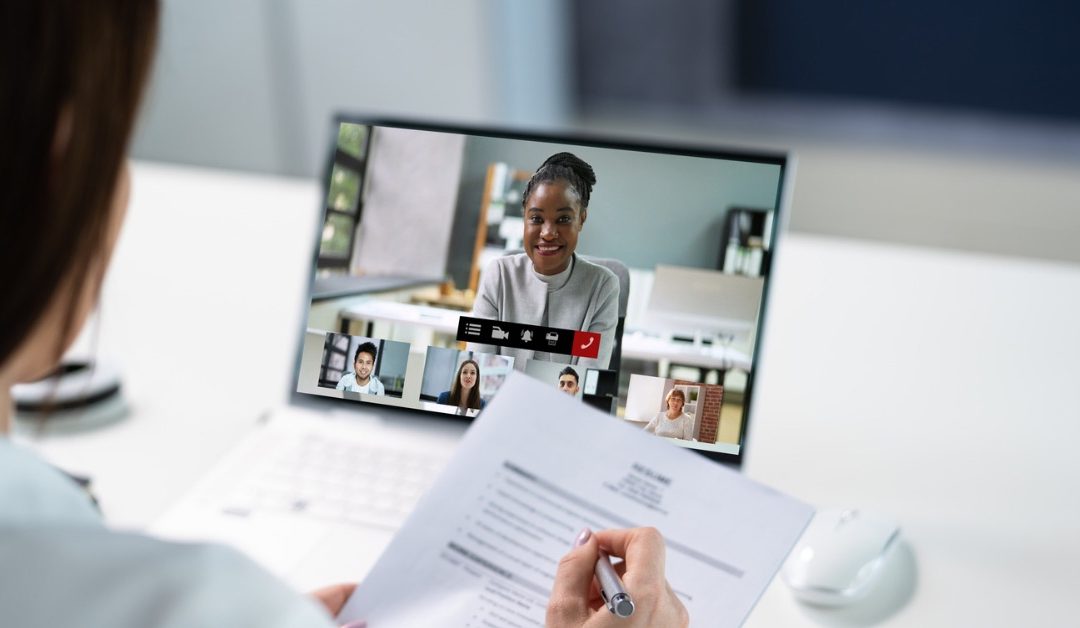
A video screening interview may feel like a straightforward first step in the recruitment process, but it is still an interview and deserves the same level of preparation as an in-person meeting. For experienced professionals, it can be tempting to rely on years of knowledge, confidence and interview experience, particularly when the conversation is described as an informal screening call. However, the online format introduces a few additional considerations, from your camera position and posture to your background, lighting and the way you make eye contact.
The good news is that none of these things requires complicated technology or expensive equipment. With some sensible preparation, deliberate practice and attention to the basics, you can make sure the technology supports your professional presence rather than distracting from it.
Treat a Video Screening Interview Like a Real Interview
The first rule of preparing for a video screening interview is simple: take it seriously. A screening interview may be shorter than a traditional interview, but it is still an opportunity for a recruiter or hiring manager to assess your experience, communication skills, motivation and potential fit for the role. Before the interview, read the job description carefully, revisit your CV and identify the experience that is most relevant to the position.
Research the organisation, its values and the responsibilities attached to the role, and prepare a few concise examples that demonstrate your achievements rather than simply listing your responsibilities. The UK’s National Careers Service recommends preparing for common questions, researching the company and using the STAR method to structure examples around your skills and experience. “Video interview tips” | National Careers Service
Experienced professionals sometimes make the mistake of preparing too little because they have attended many interviews before. Familiarity can certainly help, but it can also create overconfidence, particularly when you are asked a question you have not considered in relation to this particular role. Think about questions such as “Tell me about yourself”, “Why are you interested in this position?”, “Why are you considering a move?” and “What would you bring to the organisation?”.
You should not memorise a script, because rehearsed answers can sound unnatural and make it harder to respond to follow-up questions. Instead, prepare key messages and examples so that you can speak naturally while still making sure the most important points come across.
Practise Before You Go Live
Practice is one of the most effective ways to improve your performance in a video interview, yet it is often the step experienced candidates are most likely to skip. Saying your answers out loud is very different from thinking about them silently, and recording yourself can reveal habits you may not notice during a normal conversation. Try answering several likely interview questions while looking at the camera, then watch the recording without being overly critical of yourself.
Notice whether you speak too quickly, use unnecessary filler words, give answers that are too long or fail to make your key point early enough. Wharton recommends recording test videos in advance so that candidates have time to identify and correct problems with their equipment, location and presentation. “Video Interviews – Communication Program”
A useful approach is to practise with someone who will give you honest feedback rather than simply telling you that you did well. Ask them whether your answers are clear, whether your experience comes across convincingly and whether your body language matches the confidence in your words. You can also conduct a mock video interview and ask the other person to include a few unexpected questions, because real interviews rarely follow a perfectly predictable script.
The aim of practice is not to become polished to the point of sounding rehearsed, but to become comfortable enough that you can think clearly under pressure. As the old saying goes, “practice makes perfect”, although in an interview context it is probably more useful to think of practice as preparation that gives you confidence when you need it most.
Get the Basics of Your Camera, Sound and Lighting Right
You do not need a professional studio to look professional on camera, but you do need to check the basics before the interview begins. Test your camera and microphone, make sure your internet connection is reliable and become familiar with the platform being used, particularly if you have not used it recently. Position your camera at approximately eye level rather than looking down into a laptop or up from a desk, as this creates a more natural perspective and makes it easier to maintain good eye contact.
Your face should be clearly visible, with light coming from in front of you rather than from a bright window behind you, which can leave your face in shadow. The National Careers Service similarly recommends testing equipment, using good lighting and positioning the camera at eye level before a video interview. “Video interview tips | National Careers Service”
It is also worth doing a complete technical check at least the day before rather than five minutes before the interview. Check that your headphones, microphone and camera work correctly, close unnecessary applications and make sure your device is charged or connected to power. If possible, use a stable desk or table rather than balancing a laptop somewhere awkward, and make sure you have a quiet space where interruptions are unlikely. Keep your phone on silent and let anyone else in your household know when you need uninterrupted time, because even a brief interruption can break your concentration. A simple technical checklist can remove a surprising amount of unnecessary anxiety and allow you to concentrate on the conversation itself.
Pay Attention to Posture, Eye Contact and Body Language
When you are sitting alone in front of a laptop, it is surprisingly easy to forget that your body language is still visible. Slouching, leaning back, looking repeatedly away from the camera or constantly watching your own image can make you appear less engaged, even when your answers are strong. Sit comfortably but upright, keep your shoulders relaxed and position yourself so that your head and upper body are naturally framed within the camera shot. Try to look towards the camera lens when speaking, particularly when making an important point, because this creates the closest approximation to direct eye contact in a video interview.
The Royal College of Nursing advises candidates to sit up straight, position the camera appropriately and practise looking directly into the camera rather than at the screen. “Top 10 tips for video interviews | RCN Bulletin | Royal College of Nursing”
At the same time, avoid becoming so conscious of your body language that you appear stiff or unnatural. Smile when it feels appropriate, nod to show that you are listening and use natural hand gestures if that is part of your normal communication style. Remember that there can be a slight delay on video calls, so pause briefly after the interviewer finishes speaking rather than immediately jumping in with your answer. This small pause can prevent you from talking over someone and gives you a moment to organise your thoughts. Good video interview body language is ultimately about being attentive, open and professional rather than trying to perform a perfect version of yourself.
Create a Professional Video Interview Background
Your background may not feel important when you are concentrating on your answers, but it forms part of the visual impression you make from the moment the camera switches on. Ideally, choose a quiet, tidy and relatively neutral space where there is nothing competing for attention with you. A plain wall, uncluttered bookcase or simple professional workspace can work well, provided the area looks intentional rather than hastily assembled. Avoid piles of laundry, distracting artwork, personal clutter or anything that could unexpectedly become the focus of the conversation.
Current guidance from Indeed highlights the importance of a background that looks professional and does not distract the interviewer from the candidate. “What is an appropriate video interview background? | Indeed.com UK”
You should also consider what the camera actually sees rather than what you think it sees. Do a test recording from the same position you intend to use and look carefully at the entire frame, including the area behind and around your head and shoulders. If you are working from a bedroom or shared space, you do not need to have a picture-perfect home, but you should choose the cleanest and least distracting part of the room. A virtual background can be useful when your environment genuinely cannot provide a suitable backdrop, but a simple real background will often look more natural and require less technical processing. Most importantly, remember that the purpose of your background is not to impress the interviewer; it is to quietly support your professional image while keeping attention on the conversation.
Give Yourself a Final Pre-Interview Check
On the day itself, give yourself more time than you think you need. Log in early enough to check the technology, settle yourself and make sure your camera angle, lighting, sound and background are all as you intended. Have a copy of your CV, the job description and a few brief prompts nearby, but do not place pages directly in front of you in a way that encourages you to read rather than engage.
It can be helpful to write down three key messages you want the interviewer to remember about your experience, because these can act as an anchor if nerves cause you to lose your train of thought. Deloitte recommends keeping a small number of reminders about your experience and key points close by during a video interview. “Recruiting tips: Video interview insights | Deloitte US-India offices”
Finally, remember that preparation should make you feel more relaxed, not more anxious. Take a few slow breaths before joining the call, check that you are sitting comfortably and remind yourself that the interviewer is interested in what you can bring to the role. If something technical goes wrong, stay calm and explain the problem rather than allowing it to derail the whole conversation.
As an experienced professional, you already have some valuable skills and knowledge to bring to the interview. A video screening interview is still a conversation between professionals, so approach it with preparation, curiosity and confidence rather than trying to achieve technical perfection.
Conclusion: Preparation Still Makes the Difference
The fundamentals of a successful video screening interview are remarkably similar to those of any other interview: understand the role, prepare relevant examples, practise your answers and arrive ready to have a professional conversation. The difference is that the video format adds another layer to consider, including your camera position, lighting, sound, posture, eye contact and background.
None of these elements needs to be complicated, but overlooking them can create unnecessary distractions at precisely the moment when you want the interviewer focused on your experience and suitability for the role. Taking even 30 minutes to practise on camera and review your setup can highlight issues that would otherwise only become apparent once the interview has started.
If you have a video screening interview coming up, start with the basics rather than trying to perfect every detail. Research the role, practise your answers, test your technology, tidy up your background, check your posture and give yourself enough time to settle before the call begins. Then trust your experience and focus on having a genuine professional conversation. A little preparation can make the difference between simply appearing on screen and making a confident, credible impression.


Recent Comments